About Zebra Barcode Label Printer
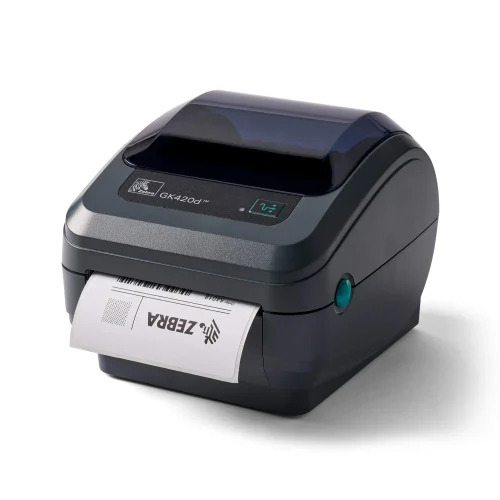
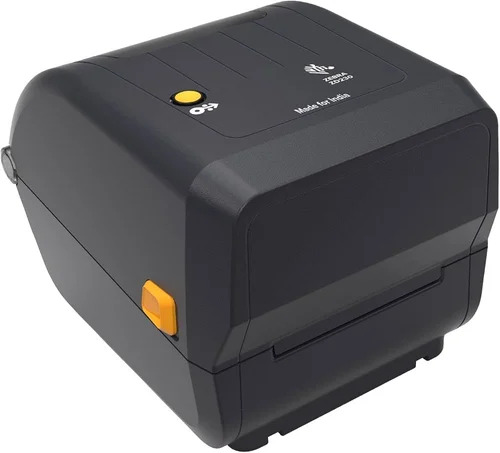
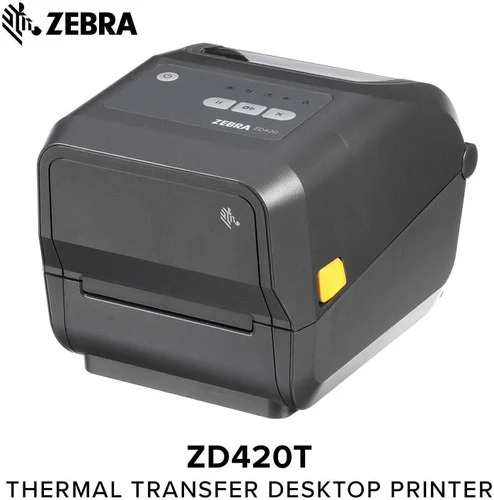
The New Zebra Barcode Label Printer offers a Reduced footprint yet delivers Sensational performance for commercial printing needs. With a Wondrous compact design in grey/black, it supports both direct thermal and thermal transfer technologies. The printer is equipped with Stellar connectivity options-USB, Wi-Fi, Bluetooth, and Ethernet-ensuring seamless operation for various working environments. Easy paper loading, support for continuous and die-cut labels, and standard ribbon capacity highlight its usability. Status and error LED indicators provide real-time feedback. Perfect for desktop use by service providers, suppliers, and traders across India.
Commercial Performance & Versatile Features
The Zebra Barcode Label Printer is ideally suited for commercial environments requiring frequent barcode label printing. Thanks to its multiple connectivity methods and stellar compatibility with continuous and die-cut labels, businesses benefit from flexible and efficient operation. The printer is best suited for desktop use in retail, logistics, warehousing, healthcare, or manufacturing. Extra features, such as automatic operation, standard ribbon capacity, and reliable error/status indicators, contribute to a streamlined workflow for any professional setting.
Supply Ability, Swift Delivery & Global Reach
Our commitment includes a consistent supply ability and the option to purchase at a reduced list price. Each Zebra Barcode Label Printer is carefully packed and dispatched, ensuring it is delivered safely and efficiently to your location. Our streamlined delivery time benefits clients, with competitive packaging standards for domestic and main export markets including Asia, Africa, and the Middle East. Your order is reliably fulfilled from initial processing to final delivery, assuring satisfaction at every step.
FAQ's of Zebra Barcode Label Printer:
Q: How do I load paper into the Zebra Barcode Label Printer?
A: The printer features easy paper loading; simply open the paper compartment, place your roll or die-cut labels, align properly, and close the lid. Indicator LEDs guide you if errors occur.
Q: What types of labels can the Zebra Barcode Label Printer handle?
A: This printer supports both continuous and die-cut label types, with a maximum paper width of 4 inches, catering to a wide range of barcode printing applications.
Q: When should I use direct thermal versus thermal transfer printing?
A: Direct thermal is ideal for short-term or indoor use where labels are not exposed to harsh conditions, while thermal transfer is best for labels requiring greater durability and longevity.
Q: Where is the Zebra Barcode Label Printer best suited for use?
A: It is designed for desktop use in commercial settings such as retail stores, warehouses, supply chains, and healthcare facilities, providing reliable barcode label printing.
Q: What connectivity options does the Zebra Barcode Label Printer provide?
A: Depending on the model, it offers USB, Wi-Fi, Bluetooth, and Ethernet options, ensuring integration with various systems for seamless operation.
Q: How does the LED indicator benefit the printing process?
A: The status and error LED indicators give visual feedback, allowing users to quickly identify the printer's operational state and resolve any issues efficiently.



 Send Inquiry


 Send Inquiry
